Executive Summary
Extracting structured business data from dynamic web applications like Google Maps can be accomplished through general-purpose web scraping tools or purpose-built lead generation software. In 2026, Octoparse and Bolt's Google Maps Scraper represent these two contrasting paths.
Octoparse is a general visual web scraping desktop suite. It is designed to extract data from virtually any website by having users configure visual click paths, pagination loops, and complex element selectors. However, because Google Maps utilizes an intricate, infinite-scroll interface with frequent layout updates, maintaining Octoparse scraping templates requires continuous troubleshooting, captcha handling, and expensive monthly cloud subscriptions starting at $89/month.
Bolt's Google Maps Scraper is engineered specifically for Google Maps and business lead generation. Powered by a Dual-Engine Architecture (Online Cloud Scraper + Chrome Extension), it requires zero setup: all 60+ data fields are mapped out-of-the-box, business websites are automatically crawled for emails and social links, and jobs can be executed 24/7 100% in the cloud (turn off your PC & walk away) with live Telegram status updates.
Quick Comparison Matrix
| Evaluation Criteria | Bolt's Google Maps Scraper | Octoparse |
|---|---|---|
| Setup & Usability | ||
| Setup & Configuration | Zero-setup (Ready immediately; input keywords & launch) | Complex (Requires configuring visual task trees and element selectors) |
| Software Requirements | Web portal (app.boltscraper.com) or Chrome extension | Heavy desktop application download (Windows/Mac) |
| Template Breakage Risk | Zero (Handled automatically by managed cloud engine) | High (Google Maps UI changes frequently break custom visual workflows) |
| Data Enrichment & Depth | ||
| Automated Email Enrichment | Built-in website crawler extracts emails & social profiles | None (Requires building a separate multi-stage workflow) |
| Pre-configured Data Fields | 60+ fields (Emails, Phones, Reviews, Coordinates, Hours, Socials) | Only the fields manually selected in the visual builder |
| Real-time Mobile Alerts | Native Telegram bot alerts & automated CSV file downloads | Email notification only (Requires paid cloud tier) |
| Pricing & Total Cost | ||
| Free Plan | Extension: 3,000 leads/mo | Cloud: 1,000 records/mo (Core Maps data; no emails) | Free local scraping (Limited to 10 tasks, 10k records/export) |
| Entry Paid Monthly Plan | Extension: Starter $19/mo (100k) | Cloud: Basic $19/mo (50k) | $89 – $119/month (Standard Cloud Tier) |
| Lifetime Purchase Option | Available for Extension (Starter $119 | Pro $219 | Ultimate $349) | None (Subscription-only model) |
Octoparse Deep Dive: Strengths and Limitations
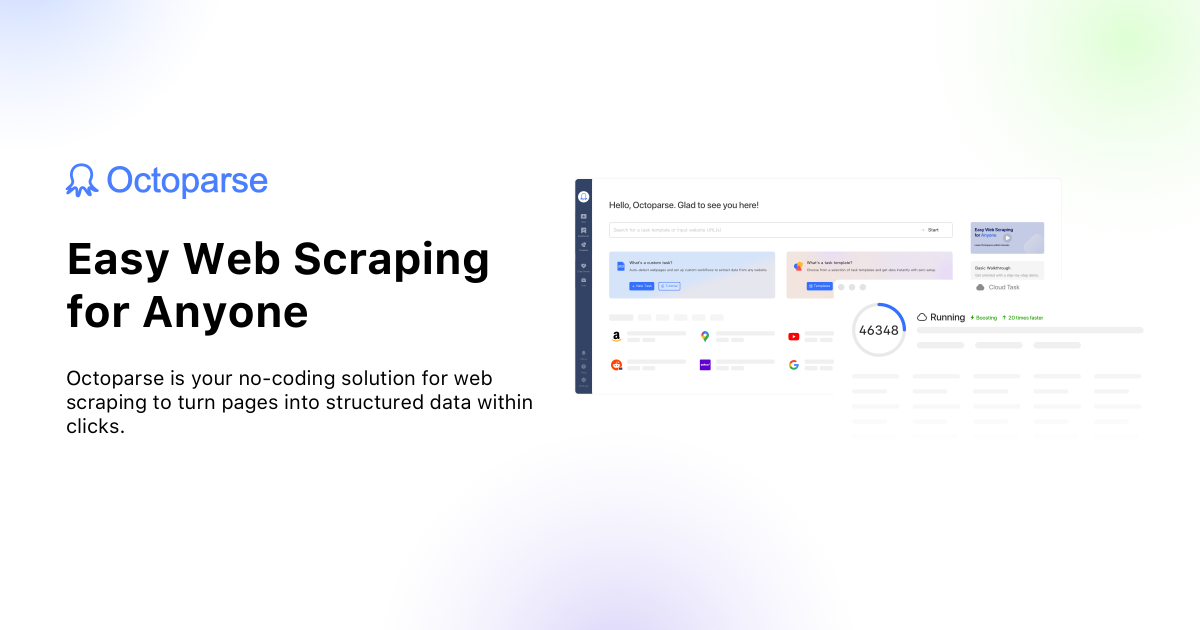
Octoparse is an industry-leading visual scraping software that enables users to turn unstructured web page content into structured spreadsheets without writing Python or Puppeteer scripts.
Key Features of Octoparse
- Universal Website Scraping: Capable of scraping e-commerce catalogs, news portals, financial listings, and forums.
- Visual Workflow Designer: Drag-and-drop interface for configuring clicks, hover actions, text inputs, and dropdown selectors.
- Cloud Extraction: Cloud-based task execution on scheduled intervals with IP rotation proxies.
Octoparse Advantages
- Can scrape virtually any website on the internet
- Includes pre-made templates for common e-commerce portals
- Visual debugging console for inspecting HTML DOM nodes
Octoparse Drawbacks
- Significant setup time required to build working Google Maps recipes
- Google Maps UI updates frequently break visual point-and-click tasks
- No automated secondary website crawling for email extraction
- Expensive cloud pricing ($89/mo Standard, $249/mo Professional)
Bolt's Google Maps Scraper

Bolt's Google Maps Scraper was designed to eliminate the complexity of configuring scrapers manually. It offers a specialized, out-of-the-box solution optimized for extracting actionable sales leads from Google Maps.
Core Capabilities of Bolt's Google Maps Scraper
- Zero Learning Curve: Enter search terms and locations; Bolt's scraper handles the pagination, infinite scrolls, and API calls automatically.
- Built-in Website Email Discovery: Seamlessly visits target company websites in the background to harvest emails and social media handles.
- 100% Cloud Execution: Execute high-volume multi-city crawls in the cloud without tying up your computer—turn off your device and let Bolt work.
- Hands-Free Telegram Integration: Get alerted when your crawl finishes and download the formatted CSV directly on Telegram.
- Predictable, Transparent Pricing: Generous free tiers (3,000 leads/mo for Extension, 1,000 records/mo for Cloud), low-cost plans ($19/mo for 100k leads), and lifetime licenses.
Bolt's Google Maps Scraper Advantages
- Instant extraction with zero workflow setup or maintenance
- Includes automatic website email and social profile enrichment
- 78% lower monthly cost compared to Octoparse Standard
- Free tier offers 3,000 leads/mo (Extension) & 1,000 records/mo (Cloud)
- Available lifetime license options
Bolt's Google Maps Scraper Drawbacks
- Specialized exclusively for Google Maps and Website scraping
- Cannot be used to scrape non-business directory websites (like Amazon or eBay)
Workflow Comparison: Setting Up a Google Maps Scrape
The Octoparse Workflow (15–30 Minutes):
- Download, install, and open the heavy Octoparse desktop software.
- Navigate to Google Maps inside the built-in Chromium browser.
- Configure the search bar input and search button click action.
- Set up an infinite-scroll loop container for the search results feed.
- Click each result item to open the business details pane.
- Manually define selectors for Title, Phone, Address, and Website.
- Configure delays and captcha retry handling.
- Run the task locally or upload it to Octoparse Cloud ($89/month).
The Bolt Scraper Workflow (30 Seconds):
- Open app.boltscraper.com (or open the Chrome extension).
- Enter your keywords (e.g., "Accountants in Chicago", "Dentists in Miami").
- Toggle optional Website Email Enrichment (ON).
- Click Start Scraping.
- Receive your clean, formatted CSV deliverable in your dashboard or on Telegram.
The Final Verdict
Choose Octoparse if you need a generic multi-purpose scraper to extract data from a wide variety of custom websites, blogs, and e-commerce stores.
Choose Bolt Scraper if your primary objective is extracting Google Maps business leads with email addresses, phone numbers, and social links without spending hours building and fixing fragile scraping recipes.
Frequently Asked Questions
Why do custom Google Maps templates frequently break in Octoparse?
Google frequently updates the internal class names and structure of Google Maps. When interface elements change, visual selectors in Octoparse fail, requiring users to manually rebuild their scraping workflows.
Does Octoparse extract email addresses from Google Maps listings?
Google Maps listings rarely display email addresses. Octoparse only captures what is visible on the page unless you build a second complex crawler to visit each business website. Bolt Scraper includes automatic website email discovery natively.
Can I run Bolt Scraper without installing software?
Yes. Bolt Scraper's Online Cloud Scraper runs 100% in the cloud via app.boltscraper.com. You can launch your job from any browser, close your device, and let the scraper run 24/7.
Is there a free version of Bolt Scraper?
Yes. Bolt Scraper provides a permanent Free Tier that includes 1,000 leads every month with zero credit card requirements.