Executive Summary
Extracting local business intelligence from Google Maps has evolved from slow desktop macros to scalable, high-speed cloud infrastructure. In 2026, Botsol and Bolt's Google Maps Scraper represent two generations of lead extraction software.
Botsol is an established desktop tool originally built as a Windows application and Chrome extension. While it provides basic extraction of Google Maps listings, it requires running crawls locally on your personal computer, locks your license to a single physical PC, and restricts its free trial to only a few results with partially masked data fields (with no email or social extraction in the free trial). Its paid options require either fixed 6-month licenses ($50 to $300) or monthly subscriptions ($30 to $50/mo) without providing true background cloud execution or remote alerting.
Bolt's Google Maps Scraper delivers a modern Dual-Engine Architecture (Online Cloud Scraper + Chrome Extension) with 100% cloud-based processing (shut down your PC & walk away). It allows users to launch batch crawls from any device, automatically crawls business websites for emails and social profiles, sends live notifications to Telegram, and provides generous free tiers (3,000 leads/mo on Extension, 1,000 records/mo on Cloud).
Quick Comparison Matrix
| Evaluation Criteria | Bolt's Google Maps Scraper | Botsol |
|---|---|---|
| Architecture & Platform | ||
| Platform Type | Dual Engine: Online Cloud Web Portal + Chrome Extension (No Windows app — 100% Cloud & Browser) | Local Windows Desktop App / Chrome Extension |
| Cross-Device Access | Works on Mac, Windows, Linux, iOS & Android browsers | Restricted to desktop computers with active browser open |
| Remote Notifications | Native Telegram bot progress alerts & file downloads | None (Must monitor on-screen progress bar) |
| Data Extraction & Enrichment | ||
| Automated Email Enrichment | Integrated website crawler scans contact pages & meta tags | Basic website crawler; slower email search speed |
| Data Fields Extracted | 60+ fields (Emails, Phones, Reviews, Coordinates, Socials) | 20–25 standard listing attributes |
| Extraction Speed | Ultra Cloud Engine (High-speed parallel processing) | Standard browser automation (Slower, machine-bound) |
| Pricing & Licensing | ||
| Free Access | Extension: 3,000 leads/mo | Cloud: 1,000 records/mo (Core Maps data; no emails) | Trial extracts only first few results with masked fields (No email or social extraction in free trial) |
| Entry Paid Plan | Extension: Starter $19/mo (100k) | Cloud: Basic $19/mo (50k) | $50 for 6 months (Basic, 1 PC) or $30/mo (Fast Scraper, 1 PC) |
| Hardware Binding | Cloud works anywhere; Extension portable across profiles | License key locked to 1 single physical PC |
| Lifetime / Multi-Month Option | Available for Extension (Starter $119 | Pro $219 | Ultimate $349) | Fixed 6-month period licenses ($50, $100, $300) |
Botsol Deep Dive: Strengths and Limitations

Botsol has provided automated browser scraping utilities for years, focusing on desktop tools for users looking to extract business directories.
Key Characteristics of Botsol
- Local Browser Automation: Simulates scrolling and clicks inside the local computer window.
- Basic Exporting: Exports raw data to CSV and Excel formats.
- Single-Device Lock: Standard licenses are tied to a single physical PC.
Botsol Advantages
- Simple interface for single-keyword searches
- Direct export to CSV and Excel
- No complex API keys required
Botsol Drawbacks
- Requires keeping your computer and browser active for hours
- Free trial extracts only first few results with masked phone numbers and no email or social extraction
- Licenses are hardware-bound to 1 physical PC
- Slow browser automation compared to high-speed cloud extraction
- No 100% cloud background scraping or mobile notifications
Bolt's Google Maps Scraper
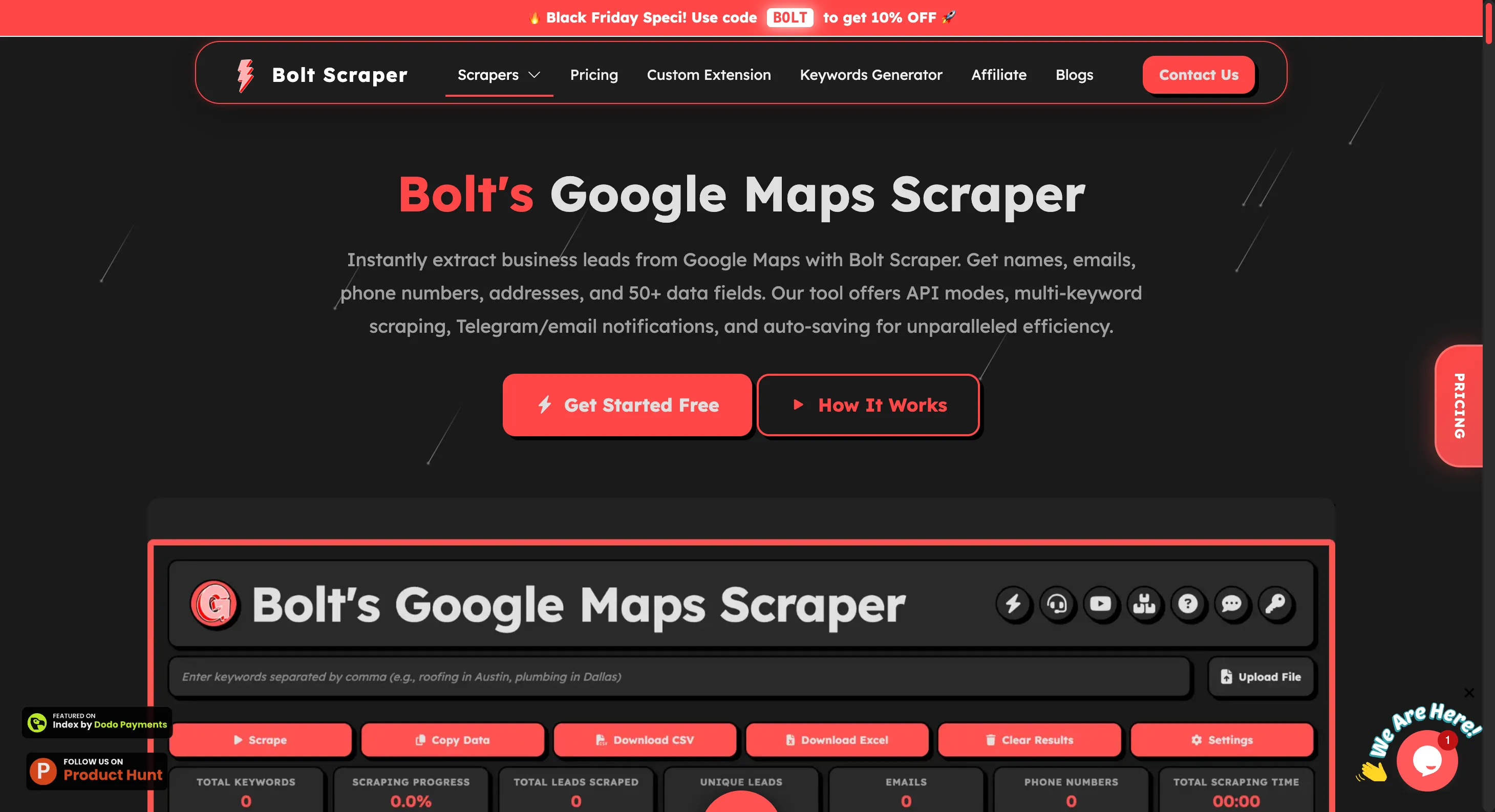
Bolt's Google Maps Scraper represents the modern standard for Google Maps data extraction, replacing slow browser automation with distributed cloud processing and deep contact intelligence.
Core Capabilities of Bolt's Google Maps Scraper
- 24/7 Cloud Execution: Launch jobs from your phone, laptop, or tablet and shut down your device while our cloud engine completes the scrape.
- Automated Website Email Enrichment: Visits every company website in the background, scanning footers, contact forms, and meta tags for valid email addresses and social profiles.
- Telegram Bot Integration: Receive instant push notifications and download your finalized spreadsheets directly in Telegram.
- Dual-Engine Freedom: Choose between our 100% online cloud platform or the high-speed Chrome extension for unlimited local extraction.
- Transparent Pricing: Generous free tiers (3,000 leads/mo on Extension, 1,000 records/mo on Cloud), and affordable monthly plans ($19/mo for 100k leads) with lifetime options.
Bolt's Google Maps Scraper Advantages
- True cloud execution with zero computer hardware strain
- Significantly faster extraction speeds via Ultra Mode
- Deep email and social media profile enrichment
- Telegram alerts and automatic file delivery
- Free tier includes 3,000 leads/mo (Extension) & 1,000 records/mo (Cloud)
- Self-serve license recovery and device switching
Bolt's Google Maps Scraper Drawbacks
- Specialized exclusively for Google Maps and Website scraping
- Online cloud scraper requires free or paid account login
Architecture: 100% Cloud Scraping vs Local Browser Emulation
The Legacy Approach (Botsol):
When you run Botsol, your local browser actively opens Google Maps and scrolls down the search results pane. This consumes heavy CPU and memory, prevents you from using your computer for other tasks, and halts entirely if your computer goes to sleep or loses Wi-Fi connection.
The Modern Approach (Bolt Scraper):
With Bolt Scraper's Online Cloud Scraper, tasks run 100% in the cloud. You simply enter your keywords, choose your locations, and submit the job. The cloud infrastructure handles the scraping, website enrichment, deduplication, and file generation, sending you a Telegram alert with the download link when complete.
The Final Verdict
Botsol relies on a legacy Windows desktop software setup that locks to a single PC, requires keeping your machine awake for hours, and offers a restricted trial with masked data and no email/social extraction.
Bolt Scraper requires no Windows desktop app installation. It is a modern cloud-powered lead generation platform featuring a 100% online cloud portal (accessible from Mac, Windows, or mobile) plus a Chrome extension, automated website email enrichment on paid tiers, instant Telegram alerts, and generous free quotas.
Frequently Asked Questions
Does Bolt Scraper have a Windows app?
No. There is no Windows app for Bolt Scraper. Bolt Scraper operates 100% in the cloud via our web portal (app.boltscraper.com) and via our lightweight Chrome browser extension. There is no Windows executable, .exe download, or local software installation required, and it works seamlessly on Windows, Mac, Linux, and mobile browsers.
Does Botsol's free trial extract emails and social profiles?
No. Botsol's free trial only extracts the first few business listings with partially masked data fields (e.g., phone numbers hidden as ****1234) and does not provide email or social media extraction in the trial. Full extraction requires purchasing a paid license.
Do I need to keep my computer on when scraping with Bolt Scraper?
No. When using Bolt Scraper's Online Cloud Scraper (app.boltscraper.com), tasks run 24/7 on our cloud servers. You can shut down your PC or close your browser and your data will be ready.
Is there a free tier on Bolt's Google Maps Scraper?
Yes. Bolt's Google Maps Scraper provides a permanent Free Tier that includes 3,000 free leads/month on the Chrome Extension and 1,000 records/month on the Online Cloud Scraper with zero credit card requirements.